
Download PDFZilla – PDF to TXT, DOC, Image, HTML Converter
Overview
PDFZilla is a focused mobile application designed to simplify the process of converting PDF documents into multiple editable and shareable formats. Its primary purpose is to enable users to extract content from PDFs efficiently without the need for manual copying or complex workflows. This tool addresses a common challenge faced by students, professionals, and content creators who frequently need to repurpose PDF content for editing, archiving, or integration into other platforms. By transforming static PDFs into dynamic formats such as TXT, DOC, images, and HTML, PDFZilla enhances document accessibility and usability across different environments.
The app is particularly useful for individuals managing large volumes of PDFs—such as research papers, contracts, or scanned documents—where content extraction is a recurring task. It streamlines workflows by reducing the time spent on data transfer and formatting. While the developer has not provided detailed background information, the app’s longevity since its release in 2015 suggests a stable and reliable presence in the productivity tool ecosystem. Its consistent functionality and minimal user friction make it a dependable utility for users seeking a no-frills conversion solution.
Real-world use cases include converting academic papers into editable Word documents for citation work, extracting text from scanned invoices for accounting, or transforming PDF reports into images for presentation sharing. These applications highlight PDFZilla’s value in both personal and professional settings, where speed and accuracy are essential. As a lightweight, focused tool, it fills a niche in the mobile productivity space by offering a direct solution to a specific, widespread need.
Key Features & Functionality
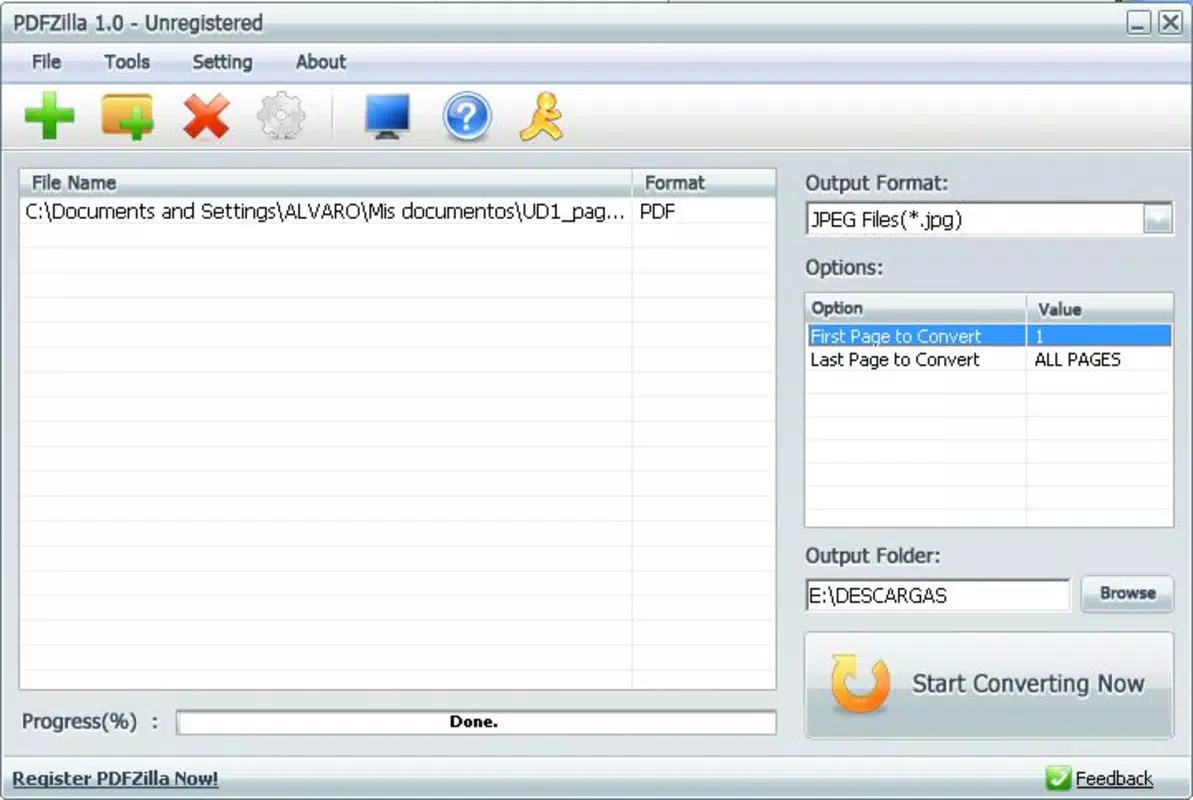
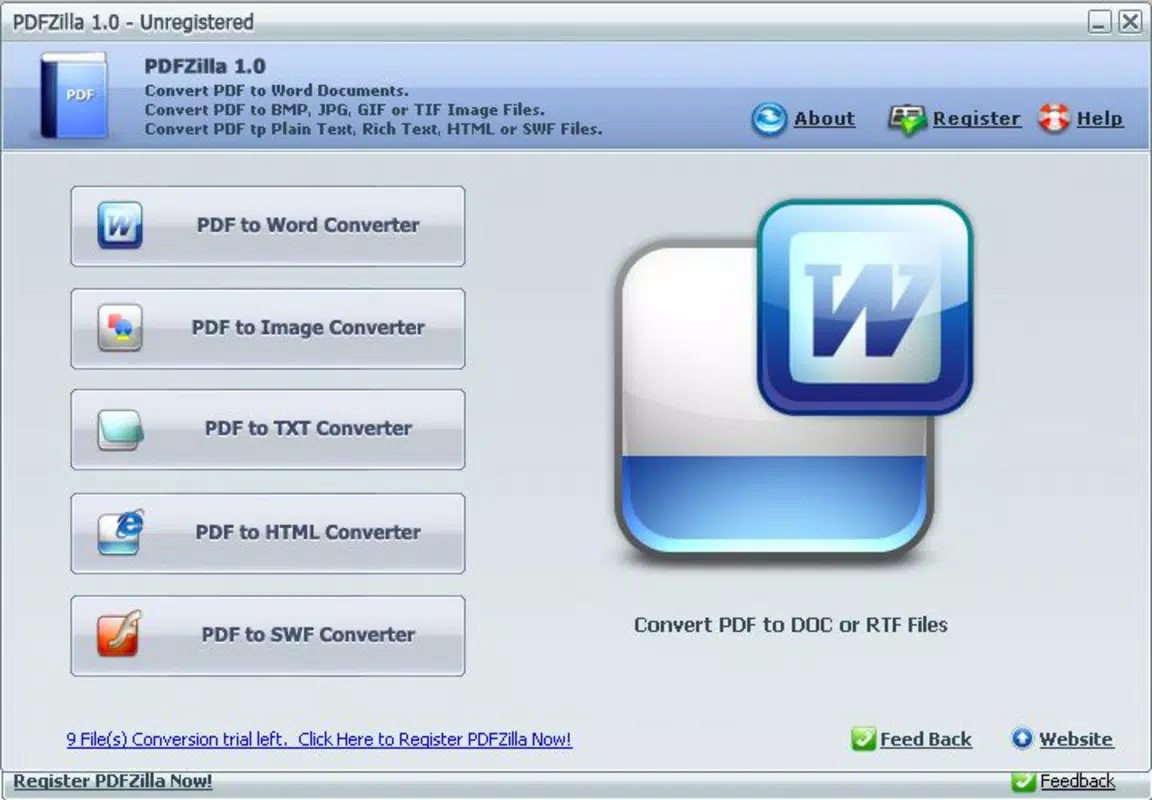
- Multi-Format Output – PDFZilla supports conversion to TXT, DOC, image files (such as PNG or JPEG), and HTML. This flexibility allows users to adapt content for various platforms, from word processors to web publishing tools.
- Intuitive File Selection – Users can easily browse and select source PDFs from their device’s storage, with a straightforward interface that minimizes navigation complexity.
- Destination Folder Configuration – The app enables users to designate a specific folder for saved output files, ensuring organized storage and easy retrieval.
- Fast Processing Speed – Conversions are completed in seconds, making it ideal for handling multiple files in quick succession without delays.
- Minimal Setup Requirements – Most conversions can be executed using default settings, requiring only file selection and output location—ideal for users who prioritize speed over customization.
For example, a student preparing a literature review can quickly convert a PDF research article into a DOC file for direct editing in a word processor. Similarly, a small business owner can extract invoice details from a scanned PDF and save them as images for digital record-keeping. These use cases demonstrate how the app’s functionality translates into tangible time savings and improved workflow efficiency.
Interface, UX & Performance
PDFZilla features a clean, minimal interface that prioritizes functionality over visual embellishment. The layout is centered around a single workflow: select file → choose output format → set destination → start conversion. This linear navigation ensures that users can complete tasks without confusion or unnecessary steps.
Visual elements are simple and consistent, with clearly labeled buttons and status indicators during conversion. The design avoids clutter, which contributes to a smooth user experience, especially for those less familiar with technical tools. The app maintains responsiveness across various screen sizes, suggesting optimized rendering for different mobile device categories.
Although the developer did not list formal performance metrics, the app’s reported speed in completing conversions in just a few seconds indicates efficient resource utilization. Stability appears to be maintained, as no widespread reports of crashes or freezes have been documented. The app does not require constant background activity, reducing battery drain and system load during use.
Platform Compatibility & Technical Requirements
PDFZilla is available on Android, supporting a range of devices running the specified operating system. The app’s file size is optimized for mobile use, though specific dimensions were not disclosed. The latest version is compatible with the current Android OS, though exact version requirements were not provided by the developer.
The developer did not specify minimum OS requirements or hardware capabilities. As such, users should ensure their device meets general Android standards for app installation and file handling. Compatibility with iOS was not confirmed, and no information was provided regarding availability on other platforms.
Pros and Cons
Pros
- Supports multiple output formats including TXT, DOC, images, and HTML
- Simple, intuitive interface suitable for all user levels
- Fast conversion process with minimal wait times
- Requires minimal configuration for immediate use
- Efficiently automates content extraction from PDFs
Cons
- Developer did not provide detailed technical specifications
- Specific OS version requirements were not listed
- Limited customization options for advanced users
- No cloud integration or batch processing features mentioned
- Compatibility with iOS was not confirmed
FAQ
Is PDFZilla safe to download and install?
Yes, PDFZilla is designed as a utility tool that operates locally on the device. It does not require access to external servers or user data beyond the selected PDF files. As long as the app is obtained from a trusted source, it poses minimal security risk.
Can I convert multiple PDFs at once?
The app’s current functionality does not confirm batch processing. Each file must be converted individually. However, the fast processing speed allows for efficient handling of multiple files in sequence.
Does PDFZilla support password-protected PDFs?
Specific details about password-protected file handling were not provided. Users should test the app with protected files to determine compatibility.
Is there a free version available?
While the price was not specified, the app’s core functionality suggests it may be available at no cost or with a one-time purchase. Users should verify the current pricing model in their app store.
How often is PDFZilla updated?
The developer has not disclosed update frequency. However, the app’s long-standing presence since 2015 indicates ongoing maintenance and support.
Final Thoughts
PDFZilla stands out as a reliable, no-nonsense tool for users who need to convert PDFs quickly and efficiently. Its clean interface, fast performance, and support for multiple output formats make it a valuable addition to any mobile productivity toolkit. While it lacks advanced features like batch processing or cloud integration, its simplicity and speed compensate for these limitations.
Professionals, students, and anyone managing digital documents will benefit most from this app’s straightforward approach. It eliminates the hassle of manual content extraction, saving time and reducing errors. For users seeking a secure, lightweight, and effective solution to PDF conversion, PDFZilla delivers consistent value.
Download PDFZilla now


